Private, Local-First Trading Journal

Trade your plan.
Protect your capital.

Most account damage starts before the trade — oversized risk, weak R:R, revenge entries, and broken rules.

DisciplineRR helps catch those behavior leaks before they compound. Plan trades, calculate risk, and review performance in a private Windows desktop app that keeps your trading data on your computer.

100% local Works offline No subscription
$49.99 one-time payment

Lifetime license · Version 1.x updates included

Try DisciplineRR free for 7 days

No credit card · No email · Windows 10/11 · Local-first

Actively developed since January 2026 · Version 1.0 · Updated July 2026

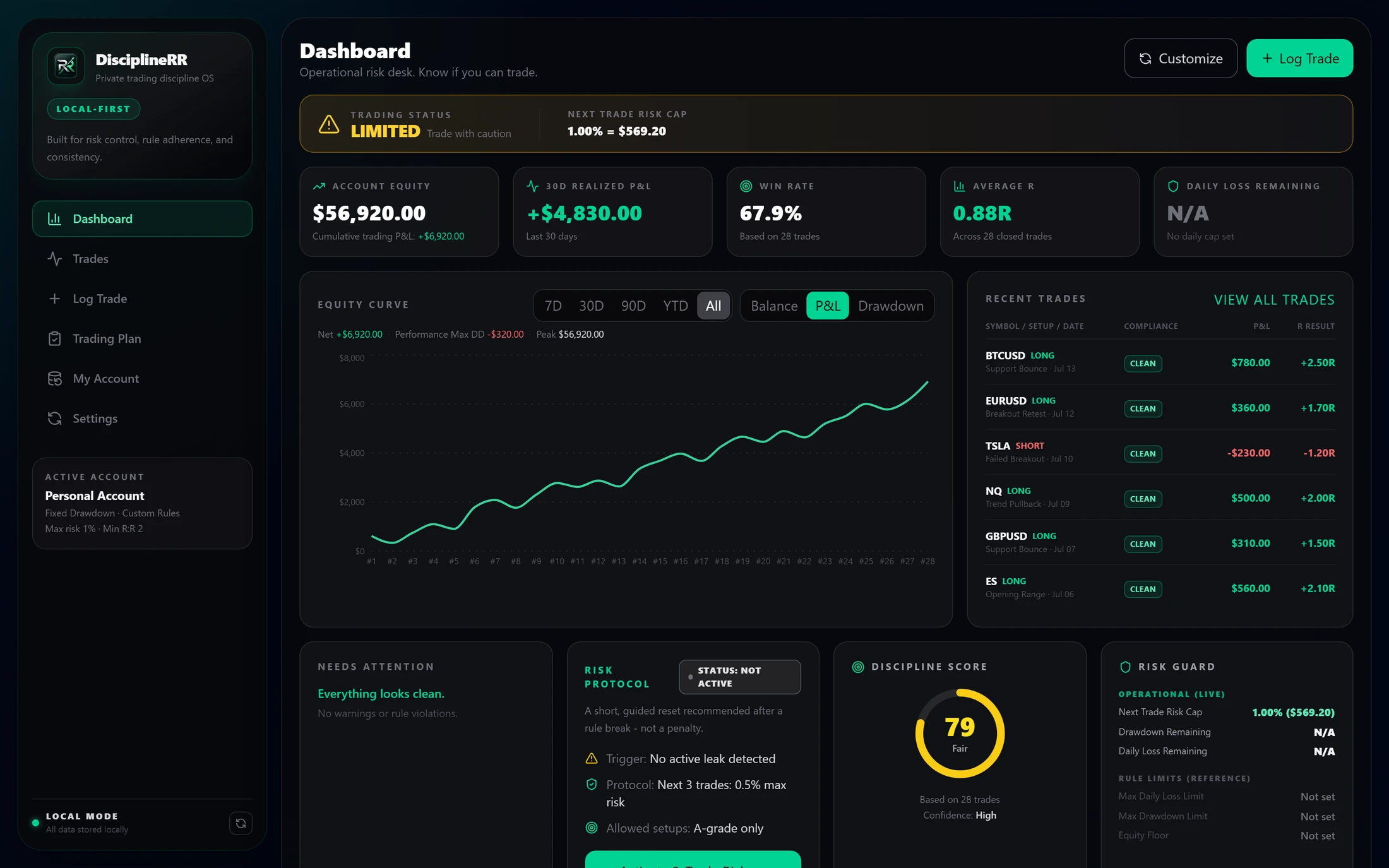
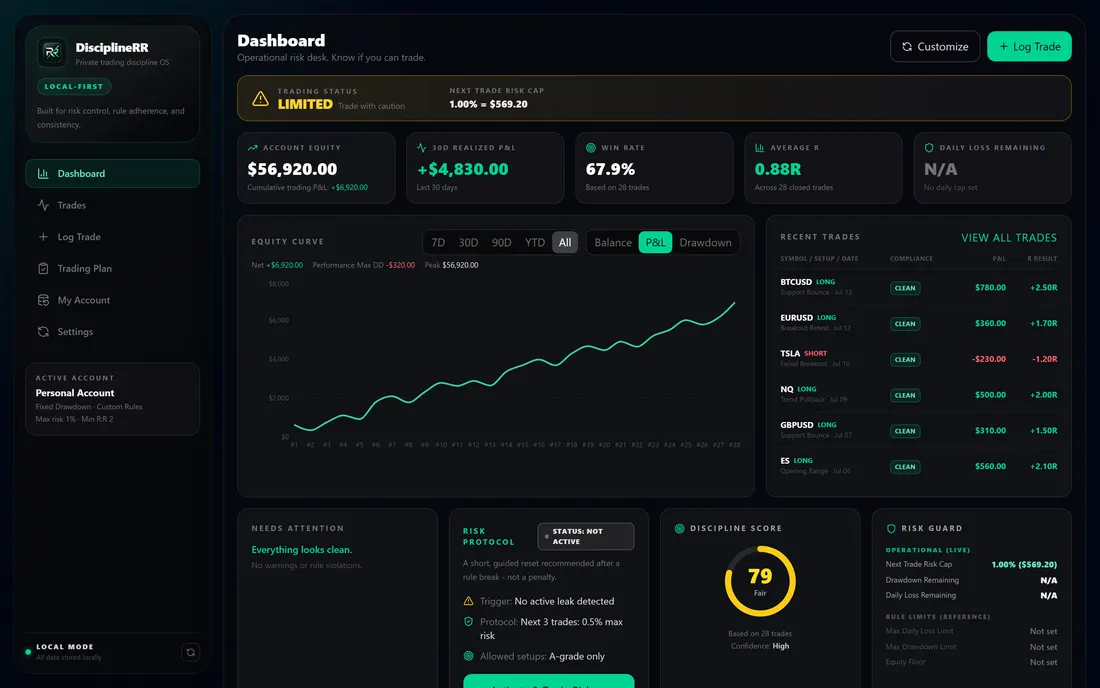
DisciplineRR dashboard showing account equity, win rate, equity curve, and risk status
Product tour

A disciplined workflow before, during, and after every trade.

Plan the rules, log the setup, calculate the risk, then review whether you actually followed the process.

Recorded in-app

Set risk limits, approved setups, and minimum R:R before the session starts.

Recorded in-app

Capture the setup, entry, stop, target, and notes without turning your journal into a spreadsheet.

Recorded in-app

Check planned risk, daily loss room, and reward-to-risk before the trade becomes another mistake.

Recorded in-app

See which setups, sessions, and behaviors are improving your execution — and which ones are costing you R.

Risk Control

The moment before account damage happens.

A trade can look valid until the math says otherwise. Risk Guard checks your planned trade against your own rules before it becomes another journal entry.

  • Position sizing and risk calculations
  • Daily and per-trade loss limits
  • Rule checks before every trade
Recorded in-app

Risk Guard catches broken-risk trades before they become journal entries.

See planned risk, daily loss room, and reward-to-risk checked against your own rules.

Performance Review

See what is actually working.

Review results by setup, symbol, day, and emotion. Identify your edges and eliminate your leaks.

  • Advanced performance analytics
  • Trade and day-level breakdowns
  • Setup, symbol, and emotion tracking
Recorded in-app

Find the behavior patterns behind your best and worst sessions.

Review setups, streaks, discipline score, and performance without digging through spreadsheets.

Built for the whole trading loop

Every part maps to a discipline problem.

DisciplineRR is a Windows desktop app built to catch the behavior leaks that damage accounts — before, during, and after the trade.

The problem

Risk gets checked after the trade, not before.

In DisciplineRR

Risk Guard — planned risk, daily loss cap, minimum reward needed, R:R, and pass / warning status.

The problem

Position sizing gets estimated in the moment.

In DisciplineRR

The Position & Risk Calculator, built directly into the trade-logging flow.

The problem

Broker history is tedious to bring in.

In DisciplineRR

CSV import with custom field mapping for broker and platform exports.

The problem

Reviewing only P&L hides bad habits.

In DisciplineRR

Calendar, analytics, and review by setup, symbol, day, and emotion.

The problem

Cloud journals hold your trading data.

In DisciplineRR

Local-first storage, offline review, and export / backup support.

The problem

Long review sessions cause visual fatigue.

In DisciplineRR

Dark, Dim, and High-Contrast theme options for extended desktop sessions.

Privacy

Your trading data stays yours.

DisciplineRR stores your journal and imported trade data locally on your Windows computer. Logging, reviewing, and analytics work offline. Internet may be required for checkout, license activation, downloads, and updates.

Broker Export

Import your trade history

Local Parser

Validate and organize data

Local Database

Store everything on your PC

Desktop Analytics

Review your performance privately

No cloud database Works fully offline Export and back up anytime
The shift

What changes in your process

Before DisciplineRR

  • Guessing position size
  • Breaking rules after losses
  • Counting lucky winners as good trades
  • Reviewing only profit/loss
  • Hiding mistakes in spreadsheets

After DisciplineRR

  • Risk calculated before entry
  • Rule breaks flagged immediately
  • Trade quality separated from P/L
  • Behavior patterns surfaced
  • Cleaner weekly review process

DisciplineRR does not give signals.
It does not predict markets.
It does not promise profits.

It helps you follow the rules you already chose.

Built and actively supported

Built by a trader who wanted better guardrails

DisciplineRR is independently built and supported in Colorado, USA. The product has been actively developed since January 2026 and continues to improve through testing, user feedback, and real trading workflow review.

It was created as a private alternative to cloud-based trading journals and generic spreadsheets: define your rules, catch risk mistakes, and review your behavior without uploading sensitive trading data to a third-party journal.

Independently built and supported by Broden “Four” Hauck IV in Colorado, USA. See recent updates →

Import from your broker or platform

Supports common broker and platform exports through CSV and custom field mapping.

Generic CSV TradingView MetaTrader 4/5 NinjaTrader Tradovate Interactive Brokers More

Imported trade data is processed and stored locally.

Installer and security

Straightforward, local-first, no surprises.

DisciplineRR is delivered as a Windows desktop installer over HTTPS. The app does not require brokerage credentials, does not connect to your broker, and stores journal data locally on your computer during normal use.

DisciplineRR’s production Windows installer is digitally signed through Microsoft Azure Artifact Signing. The published SHA-256 checksum can be used to confirm the downloaded installer matches the signed release.

Signed publisher: broden hauck · How to verify your download · View SHA-256 checksum

Code signing verifies publisher identity and file integrity. It does not guarantee that Windows SmartScreen will never show a reputation warning for a newer publisher.

  • Code-signed Windows installer
  • Published SHA-256 checksum
  • Download delivered securely over HTTPS
  • No brokerage login required
  • No bundled software or advertisements
  • Trading records stay locally stored during normal app use
  • Broker history is imported through CSV exports
  • Direct email support for installation and activation issues
Code-signed installer Published SHA-256 checksum Active since January 2026 Secure Stripe checkout Direct founder support Windows 10/11 Works offline Local-first data Version 1.x updates Published changelog

Lifetime license. One payment.

Not sure yet? Start the free 7-day trial first — no credit card required.

Before you buy

  • Requires Windows 10 or 11, 64-bit.
  • One personal-use license. Version 1.x updates included.
  • Internet is required for checkout, download, license activation, and downloading updates.
  • Core journaling, trade review, analytics, and local storage work offline.
  • Broker connections are not required. Trade history is imported using CSV exports.
  • DisciplineRR does not provide signals, financial advice, or market predictions.
$49.99
No subscription.
  • Full desktop app
  • Journal and analytics
  • Risk rules and trading plans
  • Broker imports
  • Local backups and exports
  • Version 1.x product updates

Secure checkout powered by Stripe · Instant Windows download

One personal DisciplineRR Version 1 license, including Version 1.x updates.

Windows 10/11 · 64-bit · One-time license · Direct email support

After checkout, you’ll receive access to download DisciplineRR for Windows and activate your license. See recent updates.

Frequently asked questions

Is there a free trial?
Yes. DisciplineRR includes a 7-day free local trial. No credit card or email is required. After 7 days, the app becomes read-only until you unlock lifetime access.
What happens to my data after the trial ends?
Your journal data stays on your computer. The app becomes read-only until unlocked, but your data is not deleted — you can still review and export it.
Do I need a brokerage login?
No. DisciplineRR never asks for brokerage credentials. Trade history is imported through CSV exports from your broker or platform.
Does starting the trial send data to your servers?
No. The trial is local to the app — no account is created and nothing is uploaded when you start it.
Is my data really stored locally?
Yes. Your trading journal and any imported trade data are stored locally on your Windows computer. DisciplineRR is a desktop app — there is no cloud database holding your trades.
Do I need internet to use DisciplineRR?
No. Logging, reviewing, and analytics all work offline. An internet connection is only needed for the initial download, checkout, license activation, and downloading updates.
Will this work with my broker?
DisciplineRR imports trade history from broker and platform exports, including a generic CSV import with custom field mapping. You export your trades from your broker or platform, then import the file into DisciplineRR.
Can I back up or move my data?
Yes. You can export your trades and back up your journal at any time from the app, and restore it later — so your data stays portable and under your control.
What happens if I uninstall DisciplineRR?
Your journal lives in local app data on your PC. We recommend exporting or backing up your data before uninstalling or moving to a new machine, so you can restore it whenever you need it.
What is your refund policy?
If DisciplineRR cannot be installed, activated, or made to function as described on a supported Windows 10/11 64-bit computer, contact support within seven days of purchase. If support cannot resolve the qualifying technical issue, you may be eligible for a refund under the Refund Policy. View Refund Policy.

Ready to trade with more discipline?

Plan your trades, check your risk, and review your performance in a private Windows desktop journal.

Try DisciplineRR free for 7 days

Lifetime access is $49.99 after trial. No credit card · No email · Windows 10/11 · Local-first